Fix the wrong keyboard layoutin English, Russian & Ukrainian
Typed a whole sentence and realized the layout was wrong — руддщ instead of hello, or Ghbdsn instead of Привіт? TypeSwitcher converts it back in any direction. Free, private and native, on Mac and Windows.
🔒 Private by design — everything stays on your computer.
Privacy Policy · Terms of Service
See TypeSwitcher in action
Built for English, Russian & Ukrainian
If you switch between Latin and Cyrillic keyboards every day, you know the pain. TypeSwitcher fixes text typed in the wrong layout across all three languages — in any direction — without retyping a single word.
English
руддщ → hello. Recover Latin text typed while a Cyrillic layout was active.
Ukrainian
Ghbdsn → Привіт. First-class Ukrainian support, including the unique і, ї, є and ґ.
Russian
ghbdtn → привет. Convert Russian text back when the English layout was on.
Conversion works in both directions between every supported layout.
Your keystrokes never leave your computer
A layout switcher can read everything you type — passwords, messages, card numbers. TypeSwitcher processes all of it locally: no cloud, no account, no telemetry, no typing log. That is the whole point.
100% local
Layout detection and correction run entirely on your device. Nothing is uploaded, ever.
No telemetry
No analytics, no advertising SDKs, no usage tracking. The only network request is the update check.
No typing diary
No keystroke log, no clipboard history. Undo history lives in memory and is discarded automatically.
Up and running in a minute
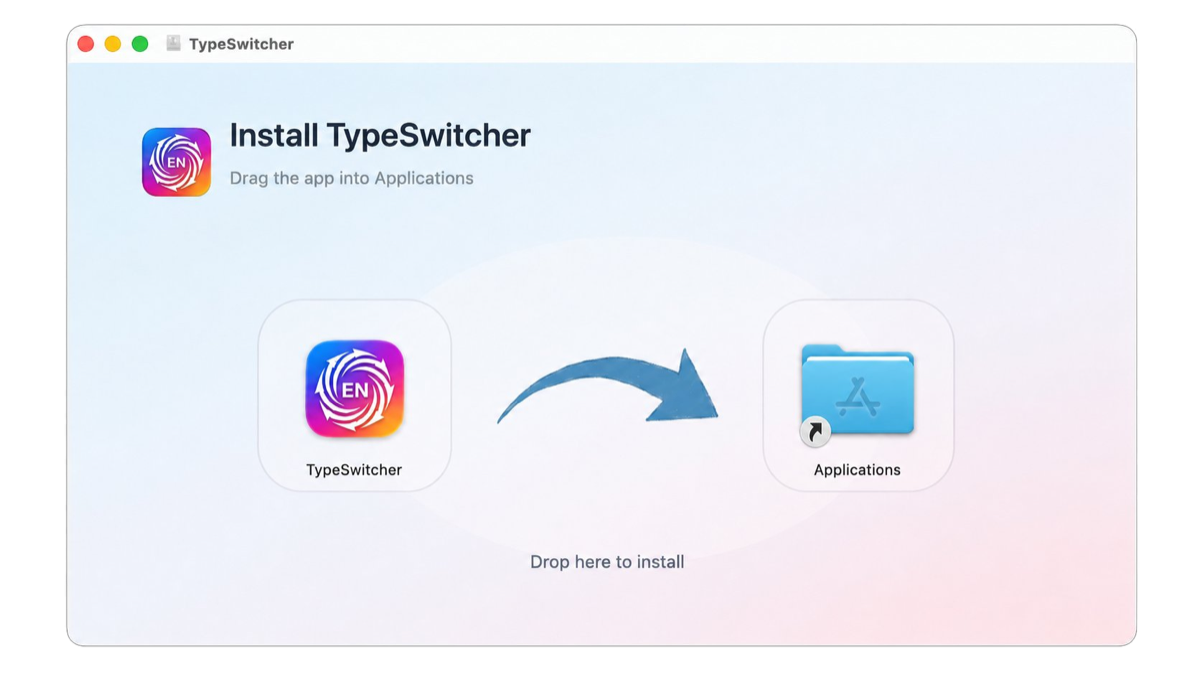
Download, drag to Applications, grant two permissions — done. TypeSwitcher lives in the menu bar and stays out of your way.
Open the installer
Double-click the downloaded .dmg file (macOS) or run the setup (Windows).
Move the app
On macOS, drag the TypeSwitcher icon into the Applications folder.
Start TypeSwitcher
Launch it and follow the prompts — it will ask for the permissions it needs.
TypeSwitcher vs Caramba Switcher & Punto Switcher
TypeSwitcher keeps everything on your device, runs natively on Mac and Windows, and treats Ukrainian as a first-class language.
| Feature | TypeSwitcher | Caramba Switcher | Punto Switcher |
|---|---|---|---|
| Platform | ✓ macOS & Windows (native) | macOS & Windows | Windows only |
| Ukrainian support | ✓ First-class | ✕ Not supported | ✕ Not supported |
| Languages | ✓ English · Russian · Ukrainian | English · Russian only | English · Russian only |
| Privacy | ✓ 100% local · no telemetry, no account | Runs locally | Proprietary · owned by Yandex |
| Price | ✓ Free | Free | Free |
| Automatic updates | ✓ Yes | Yes | Yes |
Comparison reflects each product's typical, advertised use. Caramba Switcher and Punto Switcher are products of their respective owners.
Frequently asked questions
Is TypeSwitcher free?
Which languages and layouts are supported?
Does TypeSwitcher work on both Mac and Windows?
Is TypeSwitcher an alternative to Caramba Switcher and Punto Switcher?
Does TypeSwitcher send my keystrokes anywhere?
Why does it need Accessibility and Input Monitoring permissions?
How do I add an app to the exclusions list?
Need help with TypeSwitcher?
Found a bug, have a question or want to request a feature? Send us a message and we will get back to you by email. Please mention your OS version and the TypeSwitcher version, so we can help faster.